Serving Up Style: Your Ultimate Social Media Food Design Template
There is a specific kind of hunger that starts with the eyes. Before the aroma, before the first bite, there is the visual story of a meal. For food bloggers, restaurant owners, and culinary entrepreneurs, capturing that story digitally is not just an art; it is a vital part of business. A well-crafted social media food design template acts as your digital plating, presenting your culinary creations in a way that is organized, appetizing, and unmistakably yours. This particular template, built for Adobe Illustrator, is more than just a pretty frame; it is a foundational tool for building a cohesive and professional brand presence online.
More Than a Pretty Picture: The Anatomy of an Effective Food Template
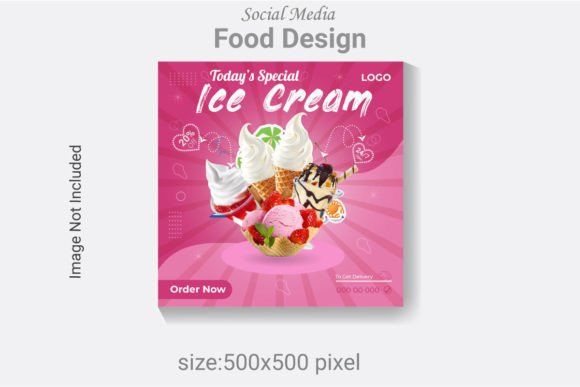
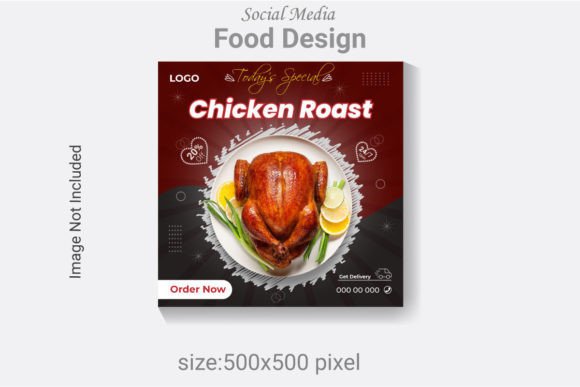
What separates a forgettable food post from one that stops the scroll? It often comes down to structure and intention. This social media post template for a food menu is engineered with that principle in mind. At 500x500 pixels and 300 DPI, it meets the crisp resolution standards required for high-quality digital display, ensuring your images look sharp on any screen, from a smartphone to a desktop monitor. The RGB color mode is specifically optimized for digital viewing, guaranteeing the vibrant reds of a ripe tomato or the rich browns of a baked crust appear true to life.
The real power, however, lies in the organized, layered AI file. This isn't a flattened image; it's a blueprint you can deconstruct and rebuild. Every text layer, color swatch, and shape is fully editable in Adobe Illustrator CC. This means the elegant script font used for a dish name can be swapped for a clean sans serif font that better matches your brand's voice. The background color can shift from a warm, rustic beige to a cool, modern slate gray in seconds. This level of customization transforms a static template into a dynamic design asset, allowing you to maintain visual consistency across hundreds of posts while adapting to seasonal promotions, new menu items, or special events.
From Digital Menu to Brand Identity: Practical Applications
Thinking of this file as just a social media graphic is limiting its potential. Its clean, editable structure makes it a versatile starting point for numerous branding applications. Imagine using the template's layout to design a cohesive series of Instagram Stories highlighting daily specials. The same design elements—the typography, the color palette, the spatial arrangement—can be extracted and applied to create a matching menu for your website, ensuring a seamless transition from social discovery to on-site experience.
For a food truck or pop-up restaurant, this template can become the foundation for your entire visual identity. Use the design to create posters for events, digital flyers for email marketing, or even patterns for merchandise like tote bags or aprons. The consistent use of the same modern typography and color scheme across all these touchpoints builds powerful brand recognition. Customers will begin to associate that specific visual language with your culinary style, whether they encounter it on a Facebook ad, a printed takeaway menu, or a sticker on their coffee cup.
The Psychology of Plating: Choosing Fonts and Colors That Sell
The fonts and colors you choose do more than just look nice; they communicate a subliminal message about your food's character. The template includes a free font, but understanding its personality is key to using it effectively. A bold, condensed serif font can convey tradition, quality, and substance—perfect for a steakhouse or artisan bakery. A playful, handwritten script font suggests whimsy, creativity, and a personal touch, ideal for a family-style café or a dessert blog.
Color theory is equally critical in food design. Warm tones like oranges, reds, and yellows are known to stimulate appetite and evoke feelings of comfort and energy. They are excellent choices for fast-casual dining or vibrant, spicy cuisines. Cooler tones like greens and blues can suggest freshness, health, and tranquility, aligning perfectly with vegan cafes, juice bars, or seafood restaurants. The template's editable color layers allow you to experiment with these psychological cues. Test a palette that reflects your brand's core values—whether that's farm-to-table freshness, gourmet indulgence, or quick, convenient joy.
Streamlining Your Workflow: Practical Advice for Maximum Impact
To get the most out of a design asset like this, integrate it into a systematic creative workflow. Start by defining your brand's visual guidelines: select 2-3 primary fonts and a core color palette. Once set, these become the default settings you apply to the template each time you create a new post. This practice alone will dramatically improve your visual consistency, making your profile look curated and professional rather than haphazard.
Font pairing is a skill worth developing. A common and effective strategy is to combine a distinctive display font for headings with a highly readable sans serif font for body text or details like prices and descriptions. For example, pair a strong serif font for "Daily Special" with a clean, modern sans serif for the list of dishes below. Always prioritize readability. Test your design on a mobile device at a small size to ensure the text remains legible. The organized layers in this file make such testing effortless, as you can toggle elements on and off to check clarity.
Remember that this template is a starting point, not a cage. Use the provided JPGs for quick mockups to visualize your final product, but always make final adjustments in the AI or EPS source files to ensure scalability and quality. While the photos are not included, this is an advantage—it means you can insert your own original, high-quality food photography, which is far more authentic and trustworthy to your audience than generic stock images. Your unique photos, combined with this professional design framework, create a powerful tool for engagement, turning casual viewers into loyal customers and fans.