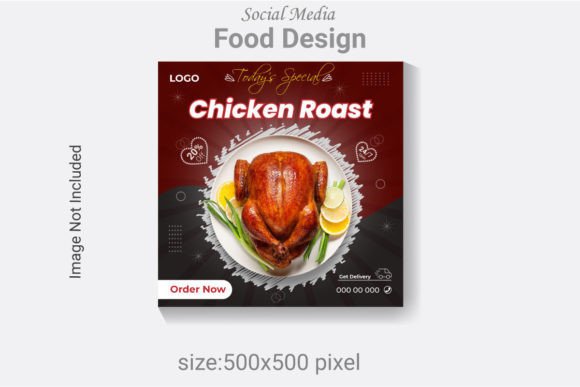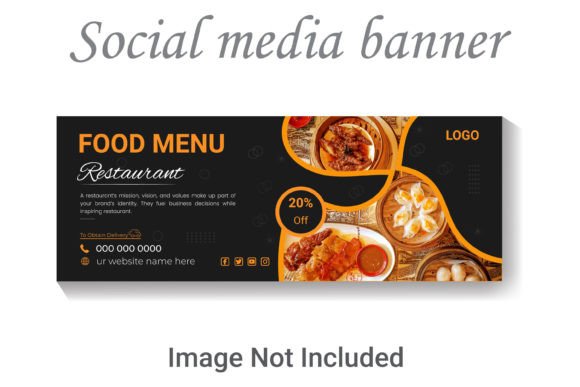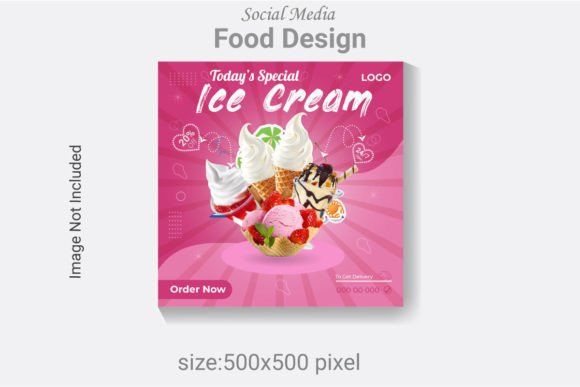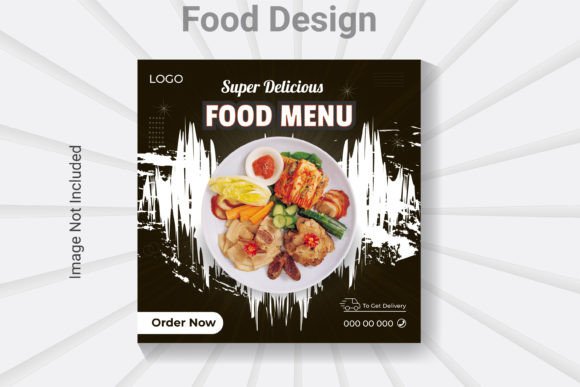
Mastering Visual Appetite: The Ultimate Food Design Template
In the bustling world of digital marketing, especially within the culinary niche, the first bite is always with the eyes. We scroll through endless feeds of pasta, pastries, and plating perfection, and the difference between a casual glance and a meaningful engagement often lies in the design framework surrounding the image. If you are a small business owner, a food blogger, or a marketing professional, you likely understand the struggle of maintaining a consistent aesthetic without spending hours in front of complex software. This is where a robust, professional asset becomes not just a convenience, but a necessity. The Social Media Post Food Design Template is built specifically to bridge the gap between raw photography and polished, shareable content, offering a streamlined solution for those who demand quality but value their time.
The Anatomy of a Professional Food Template
When you look at a high-performing Instagram feed or a viral Facebook post from a top restaurant, the layout feels effortless. However, that effortlessness is usually the result of careful planning and organized file structures. A key feature of this specific design resource is its foundation in vector graphics. Provided as an AI file and an EPS file, this template allows for infinite scalability. Whether you are creating a small graphic for a mobile screen or scaling up for a print poster, the integrity of the design remains intact. This is a significant upgrade from standard raster-based templates that pixelate when resized.
Furthermore, the technical specifications are tuned for modern display standards. With a 500x500 pixel canvas set in RGB color mode and a crisp 300 DPI resolution, the output is optimized for high-definition screens. This ensures that the colors of your food photography pop with vibrancy, which is crucial for appetite appeal. The file is well layered and organized, meaning you won't waste time hunting for specific elements. Every shadow, text box, and graphic element is grouped logically, making the editing process intuitive even for those with intermediate design skills.
Beyond the Feed: Diverse Applications for Branding and Marketing
While the name suggests social media, the utility of a high-quality Social Media Post Food Design Template extends far beyond Instagram or Twitter. For a small business owner, consistency is the currency of trust. You can utilize this asset to create a unified brand identity across multiple touchpoints.
- Menu Design & Packaging: Because the file is vector-based (AI and EPS), you can adapt the layout elements for physical print materials. Imagine using the same visual language from your social posts on your takeaway menus or burger wrappers. This creates a seamless experience for your customers.
- Website and Blog Graphics: Web design requires fast-loading, high-quality images. The included JPG file is perfect for quick uploads to your blog headers or website banners, while the editable source files allow you to create unique featured images for recipes that maintain your site’s visual flow.
- Editorial Layouts and Digital Products: If you are a creator selling recipe ebooks or meal planning guides, this template serves as a foundational layout. You can easily rearrange elements to fit long-form editorial designs or create cohesive digital products that look professionally typeset.
- Print Materials and Merchandise: From flyers announcing a happy hour to merchandise like branded aprons or coasters, the high-resolution vector format ensures your graphics look sharp on any surface.
Typography and Customization: Making It Your Own
One of the most common frustrations with design templates is the inability to fully customize text. This template solves that problem by ensuring that AI text, font, and colors are fully editable. You are not locked into a specific style; you are given a canvas to express your brand’s unique voice.
The choice of typography can drastically alter the mood of your food content. For instance, a rustic bakery might benefit from swapping the default font for a script font or a handwritten font to convey warmth and artisanal quality. Conversely, a modern sushi bar might prefer a clean sans serif font to project minimalism and precision. Because the template utilizes free fonts, you can easily download and install the typefaces without worrying about additional licensing costs for the display text, making it a budget-friendly option for startups.
However, when customizing, keep readability at the forefront. A common pitfall in food design is using overly decorative fonts for long descriptions. A practical tip is to use a bold display font for the headline (e.g., "Summer Special") and pair it with a legible sans serif for the details (e.g., price, ingredients). This contrast creates a visual hierarchy that guides the viewer's eye naturally.
Streamlining Workflow for Busy Creatives
Time is a resource that small business owners and content creators rarely have in abundance. The requirement for a minimum version of Adobe Illustrator CS6 or above is standard for professional design work, ensuring compatibility with most modern workflows. The organized layer structure means you can perform "surgery" on the design without breaking the layout. Need to change the background color to match a seasonal promotion? It takes seconds. Need to swap out the image placeholder for your latest dish? The clipping masks are already set up.
This level of organization is what separates amateur designs from professional presentation. It allows for rapid prototyping. You can create a week's worth of content in a single sitting, testing different font pairings and color palettes to see what resonates with your audience. This agility allows you to react to trends quickly—a massive advantage in the fast-paced food industry.
Ensuring Commercial Viability
For those using this design for client work or commercial sales, understanding the asset is vital. The inclusion of an EPS file ensures compatibility not just with Adobe Illustrator, but with other vector software like CorelDRAW or Affinity Designer, offering flexibility if you collaborate with other freelancers. When using the template, always ensure that the final output aligns with the platform's specifications. While the base is 500x500, you can easily resize the artboard for Pinterest pins or Facebook covers without distorting the design elements.
Ultimately, this Social Media Post Food Design Template