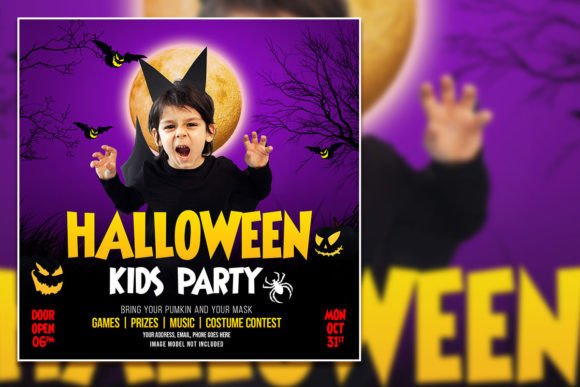
Design a Spooktacular Halloween Party Social Media Post
October rolls around, and suddenly your feed is a graveyard of generic, low-effort announcements. You have a fantastic event planned, but the standard "Happy Halloween" graphic just isn't cutting it. For small business owners, event planners, and creative entrepreneurs, the pressure to stand out during the holiday season is real. You need a visual that stops the scroll, captures the eerie vibe of your event, and drives actual engagement. The solution isn't to spend hours wrestling with complex design software from scratch; it's about leveraging professional, fully editable assets that bridge the gap between your vision and a polished final product. A well-crafted Halloween Party Social Media Post template does exactly that, giving you a robust foundation to build upon while ensuring your brand's unique personality shines through the cobwebs and cauldrons.
Why a Template is Your Secret Weapon for Seasonal Marketing
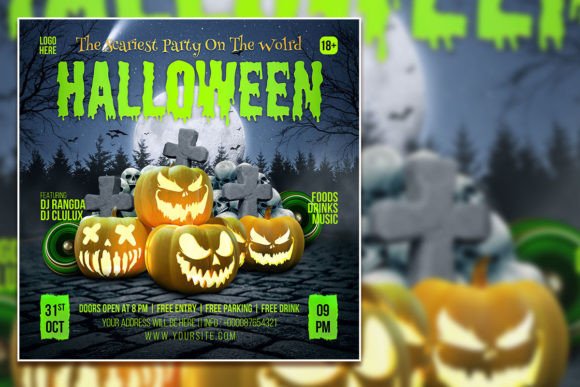
Think of a high-quality PSD template not as a shortcut, but as a strategic starting point. The visual language of Halloween is specific: moody color palettes, textured backgrounds, and typography that ranges from classic horror to playful whimsy. Trying to source all these elements individually is time-consuming. A professional template bundles these components into an organized, layered file. This particular Halloween Flyer Template, sized at a crisp 2000 x 3000 pixels with 300 dpi resolution, is built for versatility. It’s not just for a party. It’s a launchpad for promoting a seasonal sale, a haunted house attraction, a costume contest, or a limited-time product drop. The real value lies in the editable PSD format. Every single element—from the spooky headline to the subtle background texture—is on its own layer in Adobe Photoshop. This means you have complete control. You’re not just changing a date; you are actively designing, making choices that align with your specific branding and marketing goals.
From Download to Done: Practical Steps for Customization
The process is designed for efficiency, even if you're not a Photoshop expert. After your instant download, the first step is opening the PSD file. The organized layer structure is your best friend here. You’ll see folders and layers clearly labeled for text, graphics, and background elements. To change the wording, simply select the Horizontal Type Tool (T), click on the text layer you wish to edit in the Layers panel, and type your new message. This is where you inject your brand's voice—whether it's mysterious, family-friendly, or outright terrifying.
Font changes are just as straightforward. If the included typeface doesn’t match your brand identity, select the text and choose a new font from your library. This is a critical step for visual consistency. You might pair a bold, distressed display font for the main headline with a clean, sans-serif font for the event details to ensure readability. The template’s layered structure also lets you swap out imagery. Perhaps you want to feature a photo of your venue, a product you’re selling, or a custom illustration. You can easily hide or delete the placeholder graphic layer and drag-and-drop your own asset into the composition, using clipping masks or layer styles to integrate it seamlessly. This level of customization transforms a generic template into a unique piece of your brand’s visual identity.
Expanding the Template: Beyond a Single Social Post
The true power of an editable design asset is its adaptability. While marketed as a Halloween Party Social Media Post, the core design can be repurposed across a multitude of touchpoints, saving you time and ensuring brand cohesion. Consider these applications:
- Print Materials: The high-resolution 300 dpi file is perfect for printing. Resize it for flyers, posters, or even direct mail invitations for your event.
- Digital Marketing: Use sections of the design for email newsletter headers, blog post banners, or website pop-ups promoting your Halloween campaign.
- Consistent Branding: Extract key design elements—the color scheme, a specific graphic, or the typographic style—to create a mini brand kit for the season. Use these elements in your Instagram Stories, Facebook cover photo, and event page to create a unified look.
- Merchandise & Packaging: If you sell physical products, the spooky aesthetic can be adapted for limited-edition packaging, sticker sheets, or promotional merchandise like tote bags or t-shirts.
This approach turns a single design into a comprehensive marketing campaign. It ensures that whether a customer sees your post on Instagram, receives an email, or walks by a poster, they immediately recognize the cohesive visual theme, which strengthens brand recognition and professional presentation.
Making Smart Design Choices for Maximum Impact
With the technical barriers removed, your focus can shift to strategic design decisions. First, consider readability. Halloween designs often use dark backgrounds with light text. Ensure there is sufficient contrast. Test your final design on a mobile device—most social media consumption happens on small screens, so text must be legible without zooming. Second, think about hierarchy. What is the most important piece of information? Is it the event name, the date, or a call to action? Use size, weight, and placement to guide the viewer’s eye logically through the content.
Finally, respect the licensing. The included license for this template typically allows for commercial use, which is essential for businesses. However, it’s always your responsibility to review the specific terms to ensure your intended use—whether for a client project or your own merchandise—is permitted. By combining the technical ease of a well-organized PSD file with thoughtful, brand-centric design choices, you can create a Halloween Party Social Media Post that is not only visually arresting but also a powerful tool for achieving your seasonal marketing objectives. It’s about working smarter, not harder, to create something that truly haunts your audience—in the best way possible.