Make Your Text Pop: Creating 3D Effects with This PSD Template
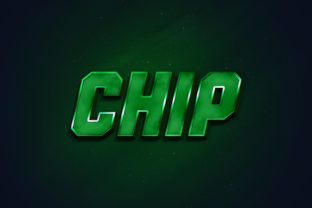
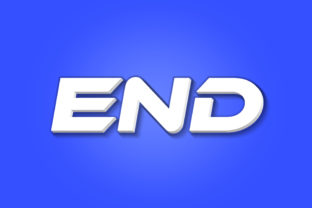
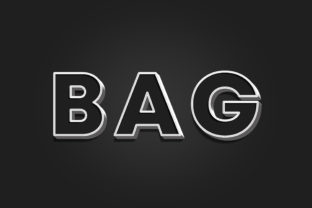
There’s a specific kind of visual impact that flat text just can’t achieve. When you’re designing a header for a website, creating a mockup for a client, or sprucing up a social media banner, depth is what grabs the viewer's eye. We often spend hours trying to layer drop shadows and gradients to fake a 3D look, only to end up with something that feels muddy or unrealistic. This is where having a solid design asset in your toolkit changes the game. If you have been searching for a way to add that professional, tactile dimension to your typography without a steep learning curve in 3D software, the Bag - 3D Text Style Effect PSD offers a streamlined solution that bridges the gap between standard flat design and complex rendering.
What makes this particular asset stand out isn't just the depth of the effect, but the texture. It mimics a soft, fabric-like or clay-like aesthetic that feels modern and tactile. It avoids the harsh, plastic look of early 2000s 3D text, offering instead a style that fits well with contemporary branding, editorial layouts, and clean web design. Whether you are a small business owner trying to create a standout logo or a graphic designer looking to speed up your workflow, understanding how to utilize this Smart Object template can significantly elevate your visual communication.
The Practicality of Smart Object Replacement
For those unfamiliar with the inner workings of Photoshop, the term "Smart Object" might sound technical, but it is actually the feature that makes this template accessible to everyone. Think of a Smart Object as a protective container. The designer who created the Bag - 3D Text Style Effect PSD has done all the heavy lifting—setting up the lighting, the shadows, the texture mapping, and the depth. They locked all of that complex layering into a safe container.
Your only job is to open that container, drop in your own content, and save it. The process is incredibly intuitive. You simply open the file in Photoshop, locate the layer labeled "Double-Click to Change," and double-click it. This opens a new window where you can delete the placeholder text and type in your own brand name, headline, or message. You aren't limited to text, either. You can insert shapes, icons, or logos. Once you save that internal file and close the window, the main template automatically updates, wrapping your new text in that perfect 3D style. It takes a process that usually requires advanced knowledge of lighting and perspective and reduces it to a few clicks.
Visual Consistency and Brand Recognition
In the world of branding and marketing, consistency is the bedrock of recognition. If you are running a campaign across multiple platforms—Instagram, your website header, email newsletters, and physical flyers—you need your visual assets to look cohesive. Using the Bag - 3D Text Style Effect PSD allows you to generate high-quality graphics (at a crisp 3000x2000 pixels and 300dpi) that look identical every time you create them.
Imagine you are launching a new product line. You can use this effect to create the main product title. Because the file is organized and editable, you can easily go back in a week later to create a "Flash Sale" banner using the exact same lighting and texture profile. This repetition builds a visual language that your audience subconsciously associates with your brand. It signals professionalism. When a potential customer sees that your typography has depth, texture, and high resolution, it implies that your brand pays attention to detail. It’s a subtle psychological cue that can improve audience engagement and trust.
Creative Applications Across Industries
The versatility of a high-quality text effect is often underestimated. While it is obviously useful for logo design, the applications extend far beyond just a company name. Here are a few practical scenarios where this specific PSD file can solve design problems for various professionals:
- Packaging Design: If you are a crafter or small business owner creating labels for jars, boxes, or bags, this 3D effect can help you mock up how your product will look on the shelf before you commit to printing. It helps you visualize how light interacts with the text on a physical surface.
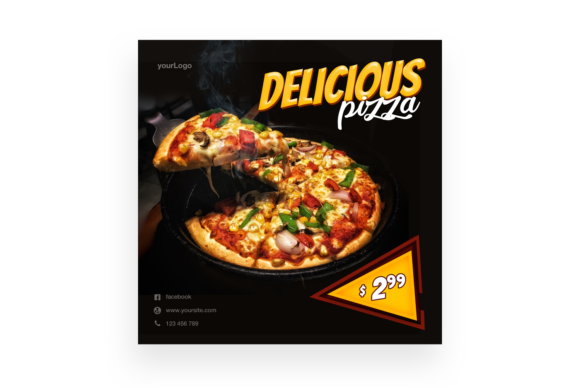
- Social Media Graphics: Algorithms favor visual stoppers. A flat text post often gets scrolled past. Using this style for a sale announcement or a motivational quote on Pinterest or Instagram can increase the click-through rate because it breaks the visual monotony of the feed.
- Editorial and Blog Layouts: Bloggers and content creators can use this for chapter titles or featured image overlays. It adds a magazine-quality feel to digital content, making the site look more authoritative.
- Merchandise Mockups: If you sell t-shirts, mugs, or tote bags, applying this effect to your typography can give you a realistic preview of how an embossed or printed design might look, helping you market the item effectively before production.
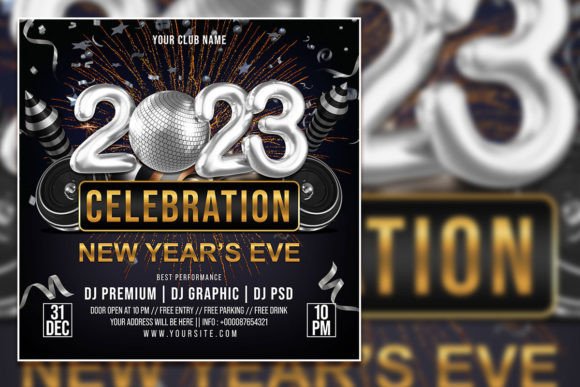
- Event Invitations: For weddings, corporate galas, or birthday parties, the tactile feel of this font style suggests elegance and importance, making the invitation feel like a premium item.
Technical Specifications and Workflow Efficiency
One of the main frustrations designers face is buying an asset only to find it is low resolution or incompatible with their software. This template addresses those pain points directly. Being set at 3000x2000 pixels with a resolution of 300dpi, it is print-ready. You don't have to worry about pixelation if you decide to use your creation on a poster or a large banner. Furthermore, compatibility is rarely an issue as it is optimized for Photoshop CS5 or higher, which covers the vast majority of current creative workflows.
The file structure is also worth noting. "Organized Layers" is a feature that sounds boring until you need to change one specific shadow or tweak the color of the background. Because the layers are named and grouped logically, you can dig into the structure if you want to customize the effect further. However, for 90% of use cases, the Smart Object workflow is all you need. This efficiency allows you to spend less time fiddling with technical settings and more time focusing on your actual content strategy or design layout.
Matching Typography to Project Goals
While the Bag - 3D Text Style Effect PSD provides the structure, the success of your design still relies on typographic choices. A 3D effect is bold, so it demands a typeface that can handle the weight. When you open the Smart Object to edit the text, consider the following tips to ensure readability and professional presentation:
First, review the included font styles or the font recommended in the "Read Me.txt" file. Often, the designer has tested the effect with a specific typeface to ensure the 3D depth doesn't eat into the letters. If you choose to use your own font, look for a sans serif font with a thick weight (bold or black). Thin, delicate fonts often get lost in 3D effects, making the text hard to read. A sturdy display font works best for headlines, ensuring the message is legible even at a glance.
Second, consider the context. If you are using this for a website hero image, ensure the background color contrasts well with the text effect. If you are layering this over a photograph, you might need to add a subtle overlay behind the text so the 3D details don't get lost in the image noise. The goal is always clarity. The 3D style should enhance the message, not obscure it.
Finally, think about pairing. If your main headline uses this 3D effect, your body copy should likely be flat and simple. Pairing a complex, textured headline with a clean, minimal serif font or a simple sans-serif for the paragraph text creates a hierarchy that guides the reader’s eye naturally from the impactful title to the informative body content.
Ultimately, the value of the Bag - 3D Text Style Effect PSD lies in its ability to democratize high-end design. It puts a sophisticated visual tool in the hands of entrepreneurs, marketers, and hobbyists alike, allowing them to produce assets that look like they were made by a high-end agency. By leveraging the Smart Object technology and focusing on solid typographic foundations, you can ensure your projects not only look good but also communicate your message with authority and style.